

Cinema mode, Dolby Vision, and Acoustic Surface Audio+: Sony 55-inch QD-OLED setup guide for Indian homes in 2026
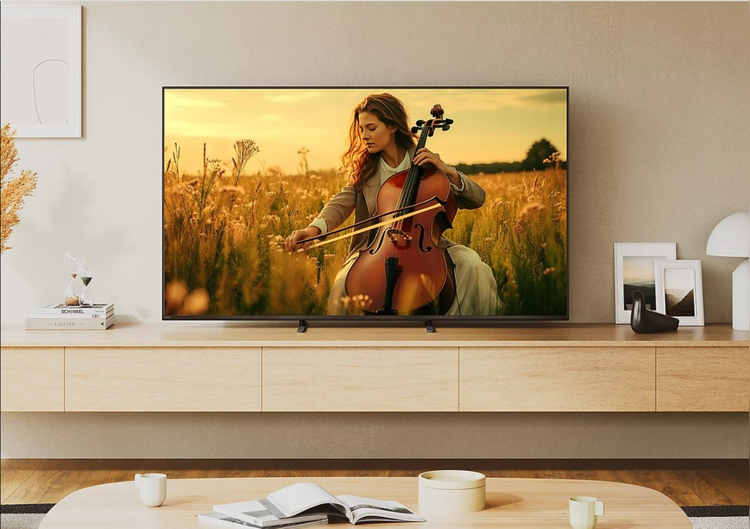
Sony 55-inch QD-OLED TVs in India offer features such as XR Processor, Dolby Vision, Acoustic Surface Audio+, HDMI 2.1, ALLM, and VRR. This guide covers the factors to get the best viewing experience, along with top models you can buy on Easy EMIs with Bajaj Finance.
A Sony 55-inch QD-OLED TV combines the deep blacks of OLED with the brighter, more vibrant colours of Quantum Dot technology. Sony’s XR Processor works scene by scene to refine colour, contrast, and detail, but the panel alone does not guarantee the best viewing experience. Picture mode, TV placement, Dolby Vision, HDMI settings, and sound configuration all play a role. The good news is that these adjustments take less than twenty minutes and can noticeably improve movies, sports, OTT content, and gaming. So, once you have found the Sony TV that suits your viewing needs, the next step is bringing it home without having to pay the entire cost upfront.
Bajaj Finance makes that possible through in-store financing options available at 1.5 lakh+ partner stores across 4,000+ cities, including Reliance Digital, Croma and Vijay Sales. You can compare Sony 55-inch TV models on Bajaj Mall before visiting a partner store to complete your purchase. The Insta EMI Card offers a credit limit of up to Rs. 3 lakh with zero annual fee and tenures from 3 to 60 months, while the
Easy EMI Loan provides financing of up to Rs. 5 lakh for a higher-value purchase. Both options require you to be physically present at a partner store to apply.
How to set up a Sony 55-inch QD-OLED TV for the best viewing experience
Set up your Sony 55-inch QD-OLED TV correctly to enjoy better picture quality, immersive sound, smooth gaming, and convenient smart features.
Step 1: Position the TV correctly
Place the TV at seated eye level and avoid direct sunlight or strong reflections. For most Indian living rooms, positioning the screen centre around 100–110 cm from the floor provides comfortable viewing.
Step 2: Complete the Google TV setup
Connect to Wi-Fi, sign in with your Google account, and install available software updates. This enables streaming apps, personalised recommendations, and the latest picture-processing improvements.
Step 3: Choose the right picture mode
Avoid Vivid mode for regular home viewing.
- Cinema Mode: Best for films, OTT content, and everyday viewing with natural colours.
- Custom Mode: Lets you adjust colour temperature, sharpness and other picture settings.
- Game Mode: Reduces input lag and enables gaming features such as ALLM on compatible devices.
Step 4: Check Dolby Vision and HDMI settings
Set the compatible HDMI input to the appropriate Enhanced format for high-quality HDR signals. For PS5 or Xbox Series X, use a compatible HDMI 2.1 port and enable 4K 120Hz where supported.
Step 5: Optimise Acoustic Surface Audio+
On compatible Sony QD-OLED models, Acoustic Surface Audio+ produces sound through the screen to keep dialogue aligned with the picture. Select Cinema mode for films or Game mode for gaming. Connect a compatible soundbar through eARC for Dolby Atmos audio.
Step 6: Use Ambient Optimisation and updates
Ambient Optimisation can adjust the picture according to changing room conditions, making it useful as daylight and indoor lighting change. Keep the TV firmware updated for performance improvements, bug fixes, and feature updates.
Best-selling Sony 55-inch TVs to buy in India in July 2026
Sony 55-inch TVs offer premium OLED picture quality, smart features and immersive entertainment across different price points for Indian homes.
| Model | Panel | Price* | EMI Starting from* | Best for |
| Sony XR-55A80L Bravia | OLED | INR 1,51,992 | INR 5,000 / Month | OLED Entry; Sony Bravia range |
| Sony KD-55A8G | 4K OLED | INR 1,99,920 | INR 12,495 / Month | Premium OLED; XR Processor |
| Sony 55A9F | 4K OLED | INR 2,79,992 | INR 17,500 / Month | Top-of-Range OLED; Premium |
Disclaimer: Each model's features, availability and pricing are subject to change and may vary. For the most accurate and up-to-date information, please visit the official website.
Limited time offers on televisions
With EMIs starting as low as Rs. 720 per month, upgrading to the latest television has never been more affordable this season.
Terms and conditions apply. Check with your store for details.
What are my financing options to buy a Sony TV on EMI?
You can finance almost any television in this guide. Bajaj Finance offers two ways to do this:
| Financing Option | Loan Limit | Tenure | Best For |
| Insta EMI Card | Up to INR 3 Lacs, Zero Annual Fee | 3 to 60 Months | Buying across categories over time |
| Easy EMI Loan | Up to INR 5 Lacs, Basic KYC, CIBIL 650+ | 3 to 60 Months | A single higher-value purchase |
How to buy a Sony TV from Bajaj Finance partner store?
Buying a Sony TV with Bajaj Finance's in-store financing options is quick and convenient. The process usually takes just 10–15 minutes at the store. Follow these steps:
- Browse on Bajaj Mall first: Compare screen size, display technology, resolution, smart features, and price. You can also compare a Sony OLED with a QLED TV to understand which display technology suits your viewing needs.
- Find a partner store: Head to a nearby Reliance Digital, Croma or Vijay Sales outlet.
- Check the TV in person: Compare picture quality, sound output, viewing angles, Google TV features and connectivity with the store executive.
- Choose your EMI option: Ask about the Insta EMI Card or Easy EMI Loan and check available tenures and zero down payment offers on select models.
- Complete your purchase: Once financing is approved, take your Sony TV home or schedule delivery at your convenience.
The right Sony TV should match your viewing needs, from screen size and display technology to picture quality, sound, and smart features. Compare models on Bajaj Mall and bring home your preferred Sony TV on Easy EMIs with Bajaj Finance.
NOTE: No TechCircle Journalist was involved in the creation of this content.
Next Article